
I’ve walked into gorgeous gaming rooms — the kind with a screen that makes your jaw drop — and still felt uncomfortable after an hour. That’s the part nobody warns you about: a luxury gaming lounge isn’t a shopping list of expensive gadgets. It’s built more like a small mechanical system, where sound, heat, electricity, and plain human comfort all have to cooperate. Most homeowners chase the biggest screen or the loudest speakers first, then wonder why the room feels flat once the excitement wears off. I’ve learned — the hard way, more than once — that it’s smarter to design the invisible infrastructure before you touch the tech everyone actually notices.
Why Sensory Architecture Is the Real Secret to a Luxury Gaming Lounge
Sensory Architecture, in plain terms, means designing the environmental layers — temperature, sound isolation, electrical capacity, seating geometry — before you buy a single component. I don’t care how stunning a room looks. If it overheats during a four-hour session or leaks bass straight into the bedroom above, it’s never going to feel luxurious, no matter what’s mounted on the wall.
Think of your lounge as a living system, not a display case. Whether you’re streaming a 4K blockbuster, grinding through a competitive PS5 match, or unwinding with a round at Slot Lords casino from a tablet dock built into the seating console, the room’s underlying architecture decides whether that experience feels effortless or strained. Get the bones right first, and honestly? Every gadget you add afterward just performs better.
How Do I Optimize Screen Size and Viewing Geometry for My Space?
There’s a simple rule I keep coming back to: sit between 1 and 1.5 times the screen’s diagonal measurement away from it. A 100-inch projector screen, for instance, works best with seating positioned 8 to 12 feet back. A 65-inch panel suits a tighter, more intimate 8-to-10-foot room. Not complicated math — but people skip it constantly, then wonder why the picture feels off.
Screen height matters just as much as distance, maybe more than most people expect. Mount the center of the display at seated eye level — roughly 40 to 42 inches off the floor — so you’re not craning your neck three hours into a movie. Got two seating rows? A 12-to-14-inch riser under the back row keeps sightlines clean over the heads in front. Small detail. Makes a real difference.
Ultra-Short Throw Projector or Large-Format OLED TV? The Real Trade-Off
It really comes down to ambient light versus image scale. Ultra-short throw projectors give you a cinema-sized picture without a ceiling mount — impressive, sure — but they need a controlled, dimmable room to actually look their best. Large-format OLED or QLED panels handle daylight and mixed-use spaces far better, with deeper blacks and pretty much zero washout risk.
Pick a UST projector for that immersive scale, and you’re accepting some compromise on peak brightness the moment the lights come on. Pick a 98-inch OLED for daytime versatility, and you’re accepting a smaller max image than a projector can throw. For competitive gaming, don’t skip the input lag check either — look for HDMI 2.1 support so you can actually keep pace with a PS5 or Xbox Series X running at 120Hz.
What Are the Hidden Electrical and Thermal Requirements for High-End Consoles?
Here’s something most homeowners underestimate: high-end gaming and home theater gear needs dedicated 20-amp circuits and active cooling. Consoles, AV receivers, projectors — they throw off more heat in an enclosed room than you’d think. Pack a closed lounge with a projector, a rack full of components, and a few guests, and the temperature can climb several degrees within an hour without proper airflow. I’ve felt it happen.
My advice? Plan a dedicated supply and return vent for the room instead of piggybacking off a shared HVAC branch. Give your AV rack its own ventilated shelving — or better, a small exhaust fan. Electrically, separate circuits for the equipment rack, the projector, and the lighting system prevent those annoying voltage dips when everything powers on at once. And don’t skip a basic UPS — it protects sensitive gear like a Kaleidescape movie server or a network switch during brief outages, keeping playback bit-perfect instead of forcing a mid-scene reboot right when things get good.
How Can I Isolate Sound and Get Genuinely Immersive Acoustics?
Sound isolation keeps noise contained inside the room. Acoustic treatment shapes how that sound behaves once it’s already there. A luxury lounge needs both — not one or the other. Insulated walls, a solid-core door, a second layer of drywall — that’s the combo that actually stops bass from traveling to bedrooms. Panels and traps handle the echo inside the space itself.
For the audio system, I’d call a 7.1 setup with Dolby Atmos height channels the realistic standard for a dedicated room these days. Pair it with an A/V receiver that supports overhead effects, plus at least one powered subwoofer. Multi-room platforms like Sonos or Denon HEOS let you push that same content library to other zones without duplicating hardware — a small thing, but it saves money fast.
Acoustic Treatment Isn’t Soundproofing — People Confuse These Constantly
Acoustic panels absorb reflections and tighten up dialogue clarity. That’s about it, though. They do almost nothing to stop sound from actually leaving the room. True soundproofing needs mass and decoupling — resilient channel, insulation packed into every wall cavity, gasketed doors. I’ve seen homeowners install decorative panels expecting dead silence next door, only to discover the bass is still thumping upstairs because the structural work never happened in the first place.
What Ergonomic and Lighting Standards Actually Prevent Fatigue During Marathon Sessions?
Proper ergonomics and warm bias lighting are what stand between a five-hour gaming session and a genuinely painful one. Seating with real lumbar support, adjustable recline, armrest height matched to your desk or console table — this matters far more than plush upholstery ever will, no matter how nice the fabric feels in the showroom.
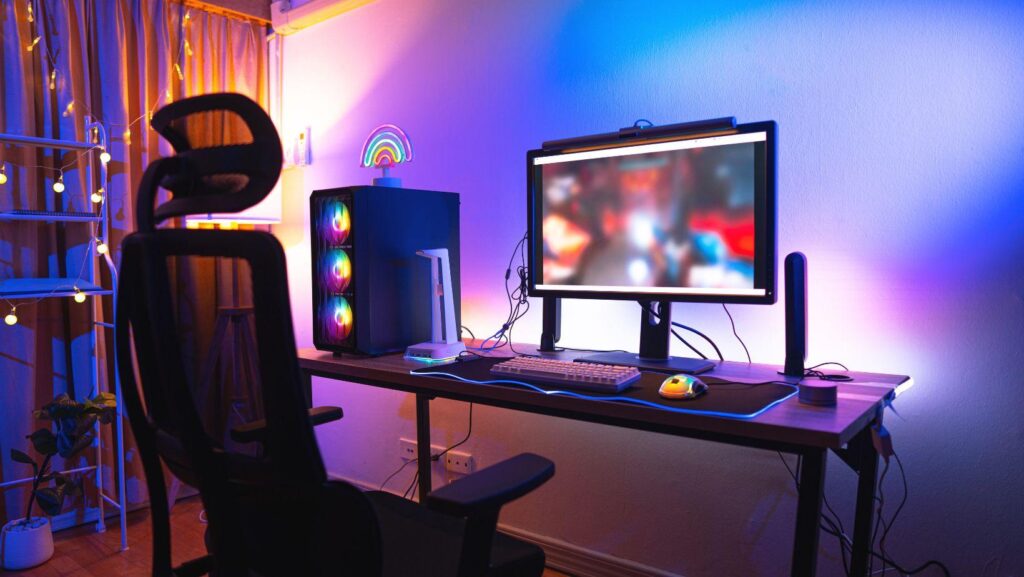
Add bias lighting behind the screen at a warm color temperature, somewhere around 2700K to 3000K. It cuts down the contrast strain your eyes feel when a bright display sits against a dark room — small detail, big difference over three hours. Layer in dimmable ceiling lights and smart LED strips tied to scenes like “Movie Mode” or “Game Night,” so the whole room adapts instantly instead of you fumbling for switches in the dark.