
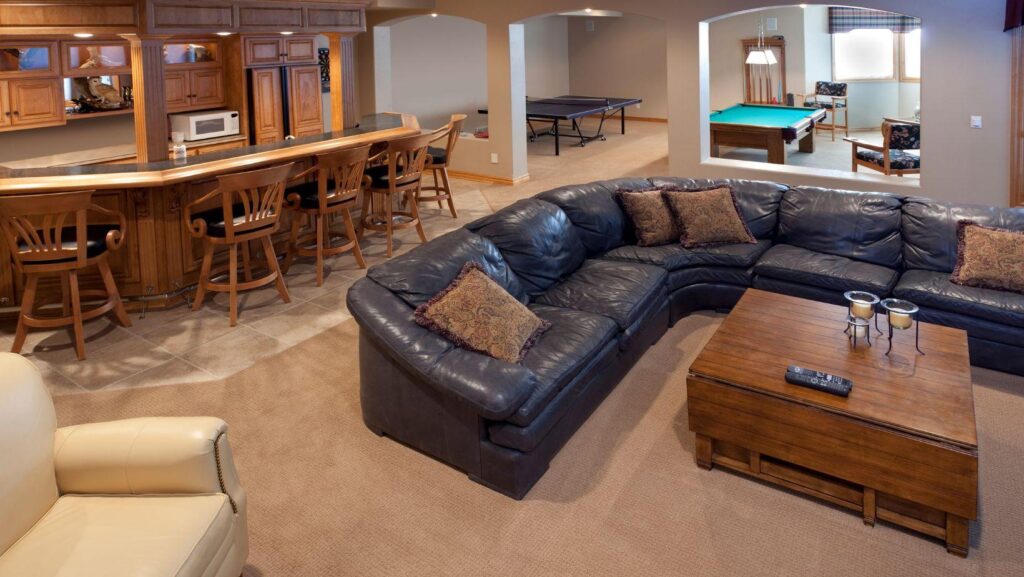
I’ve walked through a handful of finished basements that started as “just a gaming room” and ended up being the one thing buyers asked about first. Every single time. A well-planned home theater or digital gaming lounge does two jobs at once — it makes daily life better right now, and it helps a property stand out later, when someone else is touring it with a checklist in hand. The goal isn’t to cram a room full of expensive gear. It’s to build something polished and flexible that feels like it was always part of the house, not bolted on afterward.
I call this an Appraisal-Ready Entertainment Architecture approach: infrastructure first, technology and finishes second. In that order. Not the other way around — even though, sure, the tech is the fun part.
How Much Does a Luxury Gaming Lounge Actually Increase Property Value?
Here’s the honest answer: a luxury gaming lounge increases perceived value when it reads as a versatile, professionally finished living space — not someone’s highly personal hobby room. How much it actually adds at resale depends on local buyer demand, comparable homes nearby, the quality of the workmanship, whether permits were pulled, and, this one matters more than people expect, whether the room could easily become something else entirely.
Appraisers, in my experience, don’t hand out a fixed percentage bump for a console collection or a retro arcade cabinet, no matter how nice the equipment is. What they do recognize is finished square footage, built-in cabinetry, quality electrical work, dedicated HVAC zoning, soundproofing insulation, and premium amenities like a home theater or golf simulator. A finished basement entertainment lounge with documented improvements is simply more defensible on paper than a temporary gaming setup thrown together in a spare bedroom.
Before spending a dollar, I run everything through what I think of as the FLEX test: Function across activities, Long-life infrastructure, Elegant integration, and X-factor for buyers. A room built for movies, multi-room audio, work, VR, and entertaining has broader appeal than one built around a single game franchise. Obviously. Not every buyer wants your specific fandom staring back at them from the walls.
Common mistake: installing permanent themed décor before the wiring, cooling, and acoustics are even done. I’ve seen this create expensive rework more than once — walls opened back up, trim pulled off, a weekend project turning into three weeks. Run the conduit, the Gigabit Ethernet wiring, extra power circuits, and speaker wire first. Then, and only then, add the removable décor, the retro arcade, or whatever digital gaming lounge accessories you’re excited about.
What Are the Non-Negotiable AV Technologies for Cinematic Brilliance?
If I had to strip this down to the essentials, the non-negotiables are a properly sized 4K UHD display, HDMI 2.1 connectivity, immersive Dolby Atmos audio, and reliable wired networking. Together, these four things support movies, PlayStation and Xbox gaming, high-refresh-rate play on platforms like Joka Bet UK, and future upgrades — without tearing the room apart later just to rebuild it.
OLED gives you deep blacks in a controlled-light room. QLED works better in brighter, multipurpose spaces. A projector with motorized screens makes sense for a dedicated home theater. Screen size has to match viewing distance — an image that overwhelms the room can be just as uncomfortable as one that feels too small, and people underestimate this constantly. For competitive gaming, I’d prioritize a display with 120 Hz or higher refresh rate plus HDMI 2.1 over raw pixel count. 4K detail matters most for cinematic, story-driven titles, not twitch-shooter reflexes.
Dolby Atmos adds height effects through in-ceiling or elevation speakers, and it genuinely makes aircraft, weather, and game environments feel more dimensional than conventional 5.1 or 7.1 surround ever managed. A Denon AV receiver can act as an accessible hub for most setups. For anything more complex, professionally calibrated systems from Control4, Crestron, or Savant take the guesswork out of day-to-day operation.
Lossless Video and the Home Cinema Standard
Kaleidescape is a premium movie-server setup built for high-bitrate, lossless 4K HDR playback and reference-quality audio in a home cinema. It’s for owners who care more about consistent, local playback than the convenience and lower cost of compressed streaming. Not everyone needs this. But if picture quality is the whole point of the room, it’s hard to argue against it.
Mount the Kaleidescape player, network switch, receiver, and source devices in a ventilated AV rack — not sealed inside a cabinet where heat has nowhere to go. Leave rack space for expansion (you’ll want it eventually) and protect the gear with an Uninterruptible Power Supply, or UPS. A stable Gigabit Ethernet connection is more dependable than Wi-Fi for fixed AV hardware, though Wi-Fi 6 still earns its place for mobile devices and VR accessories.
How Do You Soundproof a Media Room for Maximum Audio Immersion?
Soundproofing a media room for real immersion means combining sound isolation, which limits noise transfer, with acoustic treatment, which improves how sound behaves inside the room. These aren’t the same thing, and mixing them up is probably the most common misunderstanding I run into. Acoustic panels alone reduce echo. They do nothing to stop bass and dialogue from traveling through walls, doors, and ceilings.
I follow a simple sequence: seal, add mass, decouple, absorb. Seal gaps around doors and outlets first. Add dense soundproofing insulation wherever the walls are already open. Decouple new wall or ceiling assemblies if you’re renovating anyway. Then install fabric acoustic panels at the first-reflection points. Bass traps belong in corners to control low-frequency buildup, especially with a subwoofer-heavy Dolby Atmos setup.
Don’t treat every surface with foam. Over-absorption makes a room sound unnaturally dull, almost dead, while untreated rear walls create distracting reflections that pull focus away from the screen. A mix of absorption, carpeting or rugs, curtains, and diffusion gets you closer to a balanced result. That same balance also helps voice clarity during multiplayer gaming and makes haptic feedback from ergonomic gaming chairs feel intentional rather than jarring.
Which Smart Home Integrations Create an Effortless Entertainment Experience?
The best smart home integrations boil down to simple, reliable scenes controlling lighting, shades, climate, and AV equipment from one interface. A single “Movie Night” or “Game Time” command should feel effortless for guests — not like they’re operating a control room somewhere.
Control4, Crestron, and Savant can unify a projector, motorized screens, motorized shades, bias lighting, audio zones, and hidden technology media room components through a wall keypad, touchscreen, remote, or voice control. Sonos extends music out to kitchens, patios, and other zones without much fuss. And a centralized interface avoids the pile of remotes that used to define every Logitech Harmony setup I’ve ever come across.
- Movie Mode: lower shades, dim ambient lighting, deploy the screen, and set Dolby Atmos volume.
- Gaming Mode: select the Xbox, PlayStation, or PC input; use low-latency display settings; activate subtle bias lighting.
- Entertain Mode: distribute multi-room audio while keeping the theater display off.
Fiber optic star ceilings and layered lighting can create genuine luxury design impact, but they should complement the room’s architecture rather than try to be the whole show. And keep physical wall controls around — voice assistants and apps are convenient, sure, but a reliable button is often just… faster.
What Are the Hidden Thermal and Security Risks of a High-Tech Setup?
The hidden risks nobody mentions during the fun planning phase are heat buildup in enclosed equipment areas and weak network security across smart devices. Designing for ventilation and privacy from day one protects performance, equipment lifespan, and household data — three things you really don’t want to discover you’ve neglected after the fact.
HVAC Strategies for High-Heat AV Racks
AV racks need a clear airflow path, not just a fan stuck in a cabinet door and called good. Intake low, exhaust high, avoid recirculating hot air back into the same space. When multiple amplifiers, gaming PCs, and media servers share one enclosed closet, coordinate rack ventilation with an HVAC professional rather than guessing.
Heat shortens component life. It can also trigger throttling right when you’re deep into intensive gaming — bad timing, every single time. Temperature-controlled rack fans, ventilated shelves, decent cable management, and clearance around consoles all help. A dedicated return path or supplemental cooling may be necessary in a basement media room. Quiet cooling costs more to install, I won’t pretend otherwise, but it preserves a calmer home theater experience that’s worth the tradeoff.
Protecting Your Smart Home Ecosystem From Cyber Threats
Protecting a smart home setup comes down to strong unique passwords, multi-factor authentication, regular firmware updates, and separate network access for entertainment and IoT devices. A managed network can place Control4, Savant, smart lighting, cameras, and voice assistants on a dedicated VLAN rather than lumping them in with the same network as personal computers.
Don’t expose an AV controller or network switch directly to the internet just for convenience — it’s not worth the risk. Give installers limited remote access, remove unused accounts once commissioning is done, and back up automation configurations somewhere safe. None of this shows up during a showing. But it’s exactly what separates a thoughtfully engineered entertainment setup from an expensive pile of vulnerable devices just waiting to cause a headache.